How to File KRA Returns Online in 2026: A Complete Step-by-Step Guide for Kenyans
Get High Paying Surveys
Earn money online by completing simple surveys. No experience needed.
Start Earning →Quick Summary
- File your KRA returns online at itax.kra.go.ke using your KRA PIN and password
- The annual deadline for individual income tax returns is 30th June every year
- Even if you had no income, you must file nil returns — failure attracts a penalty
- Late filing attracts a penalty of KES 2,000 per month or 5% of the tax due, whichever is higher
- The process takes as little as 5 to 15 minutes once you know what to do
Introduction
Every Kenyan with a KRA PIN is required by law to file tax returns every year — whether you are employed, self-employed, running a business, or even unemployed. If you have never filed before, or you have been putting it off because the process seemed complicated, this guide is for you.
Learning how to file KRA returns online is one of the most important financial responsibilities you have as a Kenyan adult. Miss the deadline and you will pay a penalty. Ignore it for years and you risk your PIN being flagged, which affects everything from getting a loan to renewing your passport.
This guide covers the complete process on the iTax platform — from logging in to submitting your returns — for employed individuals, self-employed persons, and those filing nil returns. Everything is updated for 2026.
What Are KRA Returns and Why Must You File Them?
KRA returns (formally called Income Tax Returns) are a declaration you make to the Kenya Revenue Authority (KRA) showing how much money you earned in the previous year and how much tax you paid or owe.
Filing returns is a legal requirement under the Income Tax Act (Cap 470) of Kenya. It applies to:
- Salaried employees (even if your employer deducts PAYE — Pay As You Earn — on your behalf)
- Self-employed individuals (freelancers, consultants, traders, professionals)
- Business owners (sole proprietors, directors of companies)
- Landlords earning rental income
- Anyone with a KRA PIN — including those with zero income (nil returns)
The Kenya Revenue Authority uses your filed returns to confirm that your tax affairs are in order. Banks, government agencies, and institutions increasingly ask for a Tax Compliance Certificate (TCC), which you can only get if your returns are up to date.
See also: How to Apply for a KRA PIN in Kenya | How to Apply for a Driving License in Kenya
Types of KRA Returns You May Need to File
Before you start, identify which type of return applies to you:
1. Employment Income Returns (P9 Form) For salaried employees whose employer deducts PAYE. Your employer provides a P9 form at the end of the year showing your gross pay, taxable pay, and PAYE deducted.
2. Self-Employment / Business Income Returns For freelancers, consultants, traders, and business owners who earn income outside formal employment. You declare your business income and expenses manually.
3. Rental Income Returns For landlords earning income from property. Rental income is taxed at 7.5% of gross rent under Monthly Rental Income (MRI) for those earning up to KES 15 million per year.
4. Nil Returns For those who had no income during the year — unemployed individuals, students, or those whose PIN is registered but inactive. You still must declare that you earned nothing.
Get High Paying Surveys
Earn money online by completing simple surveys. No experience needed.
Start Earning →5. Installment Tax Returns For individuals and companies that pay tax in installments throughout the year (typically for business income). This is separate from the annual return.
What You Need Before You Start Filing
Gather the following before logging onto iTax — having them ready prevents errors and time wastage:
- KRA PIN — your Personal Identification Number (e.g., A000XXXXXXX)
- iTax password — set when you registered on iTax; reset via OTP if forgotten
- P9 form — provided by your employer (for employed persons); request it from your HR or payroll department in January or February
- Bank statements or income records — for self-employed persons, to calculate total income and allowable expenses
- NHIF / SHA contribution records — these are allowable deductions that reduce your taxable income
- Mortgage or insurance premium statements — also allowable deductions if applicable
- A working email address and access to your registered phone number (for OTP verification)
KRA Returns Deadlines in Kenya (2026)
Missing the KRA deadline is costly. Here are the key dates to know:
| Return Type | Deadline |
|---|---|
| Individual Income Tax (Employment & Self-Employment) | 30th June 2026 |
| Rental Income (Monthly Rental Income) | 20th of the following month |
| VAT Returns | 20th of the following month |
| PAYE (by employers) | 9th of the following month |
| Installment Tax (4 payments) | 20th April, 20th June, 20th Sept, 20th Dec |
| Corporation Tax (companies) | 6 months after financial year end |
For most individual Kenyans, the date that matters most is 30th June. This is the deadline for filing your annual income tax return covering the previous calendar year (1st January to 31st December).
Penalties for Late KRA Returns Filing
Do not ignore your filing obligations. The penalties are real and accumulate quickly:
- Late filing penalty: KES 2,000 per month (for individuals) or 5% of the tax due — whichever is higher
- Late payment penalty: 5% of the unpaid tax, applied immediately after the deadline
- Interest on unpaid tax: 1% per month on the outstanding balance, compounding monthly
- Failure to file for multiple years: KRA may flag your PIN, making it impossible to get a TCC, open a bank account, or access government services
The longer you wait, the more you owe. Filing even a nil return on time is always better than facing penalties for non-compliance.
How to File KRA Returns Online: Step-by-Step on iTax
Method 1: Filing Employment Income Returns (With a P9 Form)
This is the most common type for salaried Kenyans.
Step 1: Log In to iTax
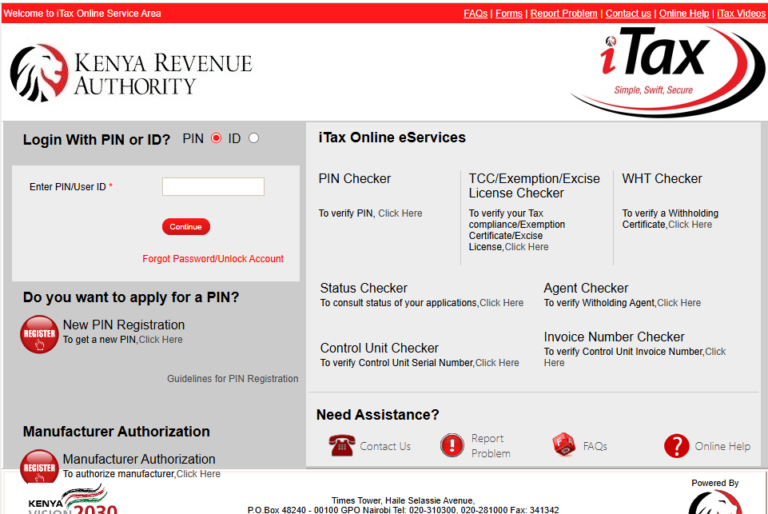
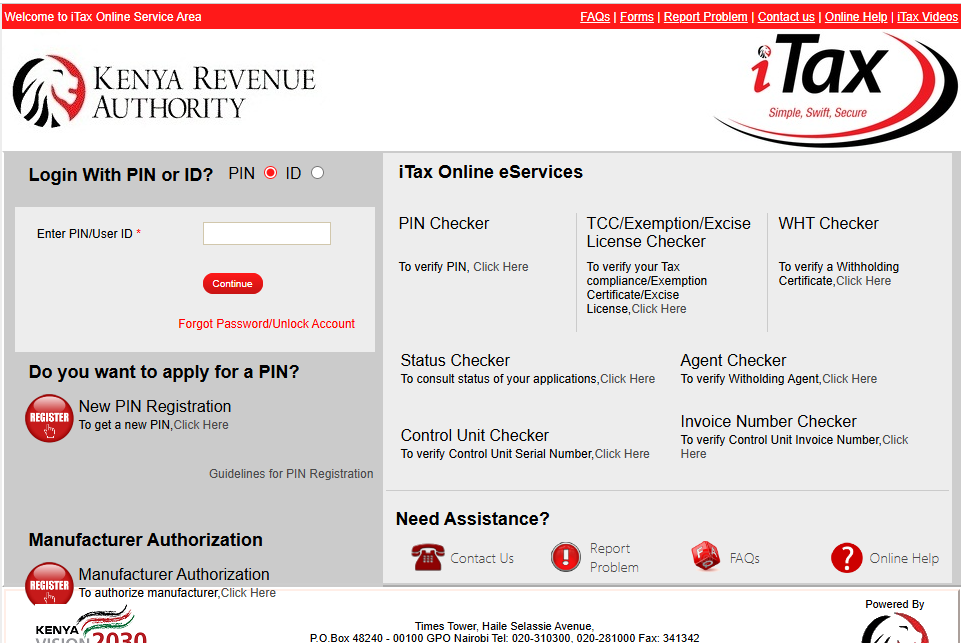
Open your browser and go to itax.kra.go.ke. Enter your KRA PIN in the PIN field. Click “Continue.” On the next screen, enter your password and the security stamp (captcha). Click “Login.”
If you have forgotten your password, click “Forgot Password” and follow the prompts — a reset link or OTP will be sent to your registered email or phone.
Step 2: Navigate to the Returns Section
Once logged in, you will see the iTax dashboard. On the top navigation bar, click on “Returns”. From the dropdown menu that appears, select “File Return.”
Step 3: Select the Return Type
A new page will load asking you to select the type of return. Choose:
- Tax Obligation: Select “Income Tax — Resident Individual”
- Return Period From: Select 1st January of the year you are filing for (e.g., 01/01/2025)
- Return Period To: Select 31st December of that same year (e.g., 31/12/2025)
Click “Next.”
Step 4: Download the Excel Return Form
iTax will prompt you to download an Excel workbook (the return form). Click the download button and save the file to your computer. This is the form you will fill in with your income details.
Important: You need Microsoft Excel or a compatible spreadsheet program to open this file. Do not try to open it with Google Sheets — it will not work correctly. If you do not have Excel, use a Huduma Centre or cyber café with Excel installed.
Step 5: Fill in the Excel Return Form
Open the downloaded Excel file. You will see multiple sheets (tabs) at the bottom of the workbook. Here is what to do for employment income:
- Go to the “Section A” tab — fill in your basic details (name, PIN, year of income, residential status — select “Resident”)
- Go to the “Section F” tab (Employment Income) — this is where your P9 form data goes:
- Basic Salary / Gross Pay — enter the total from your P9
- Taxable Pay — as shown on the P9
- PAYE Deducted — the total tax already deducted by your employer
- Pension contributions — if applicable (from P9)
- NHIF/SHA contributions — enter your annual contributions (allowable deduction)
- Mortgage Interest — if you have a mortgage on your home, enter annual interest paid (allowable up to KES 300,000 per year)
- Insurance Premiums — life insurance, education policy, etc. (allowable up to KES 60,000 per year)
The form automatically calculates your tax liability or refund based on the figures you enter. Do not manually override the formulas.
If you have more than one employer during the year, you will need to fill in separate rows for each employer’s income and PAYE.
Step 6: Validate the Return
Once you have filled in all the relevant sections, go back to the first sheet of the workbook. Click the “Validate” button. The form will check for errors. If there are errors, they will be highlighted — fix them before proceeding.
If validation is successful, the form will generate a compressed file (.zip) automatically and save it in the same folder as your Excel file.
Step 7: Upload the Return to iTax
Go back to your iTax browser session (do not close it). Click “Browse” or “Upload Return” and locate the .zip file generated by the Excel form. Select it and click “Upload.”
iTax will process the file. If the upload is successful, you will see a confirmation message and a summary of your return.
Step 8: Submit the Return
Review the summary on screen — check that your income figures and tax deducted match what is on your P9. If everything looks correct, click “Submit.”
You will receive a Return Acknowledgement Receipt with a unique acknowledgement number. Download and save this receipt — it is your proof that you filed your returns. You will also receive a confirmation email to your registered address.
Step 9: Pay Any Tax Balance (If Applicable)
If your return shows a tax balance due (meaning your employer deducted less PAYE than you owed), you must pay the balance by the deadline to avoid penalties. On iTax:
- Go to “Payment” → “Payment Registration”
- Select the tax obligation, period, and amount
- Choose your payment method (M-Pesa via Paybill 572572, bank transfer, or debit card)
If your return shows a refund, KRA will credit it to your bank account after review — ensure your bank details are registered on iTax under “My Profile.”
Method 2: Filing Nil Returns on iTax
If you had no income in the previous year, here is how to file nil returns in Kenya — quickly and at no cost.
Step 1: Log In to iTax
Visit itax.kra.go.ke, enter your KRA PIN and password, and complete the security captcha.
Step 2: Go to Returns → File Nil Return
Click “Returns” in the top menu. From the dropdown, select “File Nil Return.” (Note: this is a different option from “File Return” — it is specifically for nil returns.)
Step 3: Select the Tax Obligation and Period
- Tax Obligation: Income Tax — Resident Individual
- Return Period From: 01/01/2025
- Return Period To: 31/12/2025
Step 4: Submit
Click “Submit.” That is it. Nil returns do not require an Excel download or file upload. The submission is instant and you will receive an acknowledgement receipt immediately.
Save or screenshot the receipt for your records.
Nil returns take less than 5 minutes if you are already logged in.
Method 3: Filing Self-Employment / Business Returns
For freelancers, consultants, and sole traders, the process is similar to employment returns but uses different sections of the Excel form:
- Section B or Section P (depending on the form version) — for business/professional income
- You will need to enter your total business income and allowable business expenses (rent, utilities, staff costs, transport, equipment, etc.)
- The difference between income and expenses is your net profit, which is what is taxed
- If you had losses, you can carry them forward to offset future profits
Keep clear records of your income and expenses throughout the year. KRA may request supporting documents if they audit your returns.
How to Register on iTax for the First Time
If you have a KRA PIN but have never accessed iTax, you need to set up your online account first:
- Go to itax.kra.go.ke and click “New PIN Registration” if you need a PIN, or “Forgotten Password / First Time Login” if you already have a PIN
- Enter your KRA PIN and click “Submit”
- Enter your registered email address — KRA will send a temporary password
- Log in with the temporary password and set a new one
- Update your profile (phone number, email, bank details) once logged in
If you do not remember which email you registered with KRA, visit any KRA office or Huduma Centre with your National ID to update your contact details.
Common Mistakes to Avoid When Filing KRA Returns
These are the errors that most Kenyans make — and they cause unnecessary delays, penalties, or audit flags:
- Not having your P9 form ready — Your P9 is your most important document for employment returns. Do not estimate or guess figures.
- Using Google Sheets to open the Excel return form — The form has macros and formulas that only work correctly in Microsoft Excel. Google Sheets will break the calculations.
- Filing the wrong return period — Always confirm the year you are filing for. Filing 2024 returns when you meant 2025 creates a mess that is hard to correct.
- Skipping the validation step — Do not try to upload the raw Excel file. Always click “Validate” to generate the .zip file first.
- Ignoring the deadline — Many Kenyans wait until the last week of June, then crash the iTax platform. File in April or May to avoid the rush.
- Not saving your acknowledgement receipt — Always download and keep this. If KRA has a system error, your receipt is the only proof you filed.
- Filing nil returns when you actually had income — This is considered tax evasion and attracts serious penalties. If you are unsure whether your income qualifies, ask a tax professional.
Tips to File Your KRA Returns Faster and Without Stress
- Request your P9 form from your employer early — do not wait until June to ask HR
- File in April or May — the iTax system is slowest in the last two weeks of June when millions file at once
- Use a laptop or desktop — the Excel return form does not work well on mobile phones
- Ensure your internet is stable before uploading — a dropped connection mid-upload can cause errors
- Register your correct phone number and email on iTax — OTP verification fails if your contact details are outdated
- Use KRA’s official YouTube channel or Huduma Centre if you get stuck — there are free guided tutorials
- Check for system downtime — KRA sometimes schedules maintenance; try filing on a weekday morning when traffic is lower
Frequently Asked Questions (FAQs)
1. Do I have to file KRA returns even if I am unemployed?
Yes. If you have a KRA PIN, you are legally required to file returns every year — even if you had zero income. File nil returns by 30th June to stay compliant and avoid the KES 2,000 monthly penalty.
2. What is a P9 form and where do I get it?
A P9 form is a tax deduction card issued by your employer at the end of each year. It shows your total earnings, taxable pay, and PAYE deducted throughout the year. Request it from your HR, accounts, or payroll department — it is usually ready by February each year.
3. What happens if I miss the 30th June KRA returns deadline?
You will be charged a late filing penalty of KES 2,000 per month or 5% of the tax due, whichever is higher. Interest also accrues at 1% per month on any unpaid tax. File as soon as possible after missing the deadline to stop the penalties from growing.
4. Can I file KRA returns on my phone?
You can log into iTax on your phone and file nil returns easily. However, for employment or business returns that require the Excel download, a laptop or desktop with Microsoft Excel is strongly recommended. The Excel return form does not function correctly on mobile devices.
5. How do I know if my KRA returns were successfully filed?
After submitting on iTax, you will receive a Return Acknowledgement Receipt with a unique reference number. You will also get a confirmation email. You can verify your filing status anytime by logging into iTax → Returns → View Filed Returns.
6. Can I amend or correct my KRA returns after submitting?
Yes. If you realize you made an error after filing, log into iTax and go to Returns → Amend Return. Select the relevant period and make the correction. Note that amending a return that reduces your tax liability may trigger a review by KRA, so ensure your corrections are accurate and supported by documentation.
7. I have never filed returns since I got my KRA PIN years ago. What do I do?
You need to file returns for every year you have been non-compliant, going back as far as KRA requires. This can result in accumulated penalties. It is advisable to visit a KRA office or engage a registered tax agent to help you clear your backlog systematically. KRA occasionally runs tax amnesty programs that waive penalties for voluntary compliance — watch out for such announcements.
Conclusion: File Your KRA Returns Today — Do Not Wait
Filing KRA returns online is not as complicated as it looks. Once you understand the steps on iTax and have your documents ready, the whole process can take as little as 10 minutes. The cost of not filing — in penalties, compliance issues, and blocked government services — is far greater than the time it takes to file.
Here is your action plan right now:
- Gather your KRA PIN, iTax password, and P9 form (or income records)
- Log in at itax.kra.go.ke
- Click Returns → File Return (or File Nil Return if you had no income)
- Download, fill, validate, and upload the Excel form
- Submit and download your acknowledgement receipt
- Pay any outstanding tax balance before 30th June
Do not wait until the last week of June. File early, file correctly, and keep your tax affairs clean.
See also:
- How to Apply for a Driving License in Kenya
- How to Apply for a Passport in Kenya
- How to Apply for KRA PIN Online
Get High Paying Surveys
Earn money online by completing simple surveys. No experience needed.
Start Earning →