How to Apply for a Kenyan ID Online in 2026: The Complete Step-by-Step Guide
Get High Paying Surveys
Earn money online by completing simple surveys. No experience needed.
Start Earning →Quick Summary
- You can apply for a Kenyan national ID online through the eCitizen portal at ecitizen.go.ke
- First-time applicants (turning 18) and those replacing a lost or damaged ID can both use the online process
- Required documents include your birth certificate, original ID (for replacement), and a passport photo
- The government fee is KES 300 for a new ID and KES 1,000 for a replacement
- Processing takes 2 to 6 weeks, depending on your location and queue
- You must complete biometric capture at a Huduma Centre or registration office — this cannot be done online
Introduction: Why Applying for Your Kenyan ID Online Matters
Your national ID card is one of the most important documents you will ever own as a Kenyan citizen. You need it to open a bank account, register for a KRA PIN, access NHIF or SHA services, vote, apply for a passport, get a job, sign a lease, and carry out dozens of other daily transactions.
If you have been wondering how to apply for a Kenyan ID online, you are in the right place. In 2026, the process has become significantly more streamlined through the eCitizen platform. While you still need to visit a physical office for biometric capture, the registration, document submission, and tracking are all done digitally — saving you time, money on transport, and the frustration of long queues.
This guide walks you through every step of the process, whether you are applying for the first time or replacing a lost or damaged card.
What Is the National ID Card and Who Needs to Apply?
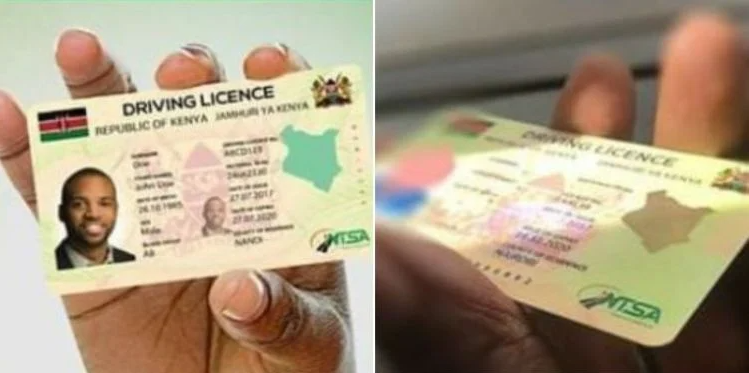
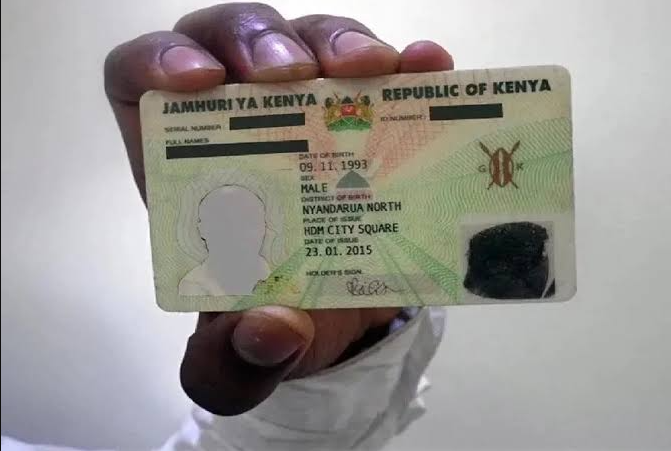
The Kenya National Identity Card is an official government document issued by the Department of National Registration under the Ministry of Interior and National Administration. Every Kenyan citizen who is 18 years of age or older is legally required to register and obtain an ID.
You need to apply if:
- You have just turned 18 and are registering for the first time
- Your ID was lost or stolen
- Your ID was damaged or is worn out
- Your personal details changed and need correction (e.g., after marriage)
- You need to change the ID booklet to a newer format
The eCitizen ID application portal handles all these scenarios from a single dashboard.
New ID Requirements in Kenya (2026)
Before you begin the online application, gather all your documents. Showing up without the right paperwork is the number one reason applications get delayed.
For First-Time Applicants (New ID)
- Original birth certificate (not a photocopy) — this is mandatory
- School leaving certificate or KCPE/KCSE result slip (if available) — helps verify identity
- Two passport-size photographs (white background, recent)
- Introduction letter from your village elder or chief (required in most sub-counties)
- Parent’s or guardian’s ID (original and a copy) — especially for those who have recently turned 18
For ID Replacement (Lost or Damaged)
- Affidavit sworn at a law court confirming loss of the ID — you will need to pay a lawyer a small fee for this, usually KES 200–500
- Police abstract (obtained from your nearest police station, costs around KES 50–100)
- Original damaged ID (for damaged IDs — surrender the old one)
- Two passport-size photographs
- Birth certificate (copy accepted)
For Correction of Details
- Supporting legal documents (e.g., marriage certificate, court order for name change)
- Original ID
- Birth certificate
Important Note: Requirements may vary slightly by sub-county registration office. Always confirm with your local Huduma Centre or sub-county office before visiting.
How to Apply for a Kenyan ID Online via eCitizen (Step-by-Step)
Here is the full process broken into clear steps.
Step 1: Create or Log In to Your eCitizen Account
Go to ecitizen.go.ke on your phone or computer. If you do not have an account:
- Click “Get Started” or “Register”
- Select “Kenyan Citizen”
- Enter your name, phone number, and email address
- Create a secure password
- Verify your phone number using the OTP (one-time password) sent via SMS
If you already have an account, simply log in with your email and password.
Step 2: Navigate to the National Registration Bureau (NRB) Services
Once logged in:
Get High Paying Surveys
Earn money online by completing simple surveys. No experience needed.
Start Earning →- On the dashboard, look for the section labelled “Ministry of Interior and Coordination of National Government” or search for “National Registration”
- Click on “National Registration Bureau”
- You will see a list of services — select the one that applies to you:
- New Identity Card — for first-time applicants
- Lost Identity Card — for replacement after loss
- Damaged Identity Card — to replace a worn or destroyed card
- Change of Personal Details — for corrections
Step 3: Fill in the Online Application Form
This is the main application form. Fill in your details carefully:
- Full name (as it appears on your birth certificate)
- Date of birth
- Gender
- Sub-county of registration
- Next of kin details
- Physical address (village, location, division, county)
- Father’s full name and ID number
- Mother’s full name and ID number
Double-check every entry before proceeding. Mistakes here can cause your application to be rejected or your ID to carry the wrong information.
Step 4: Upload Supporting Documents
After filling the form, you will be prompted to upload scanned or photographed copies of your documents. Requirements differ based on the service you selected (new ID vs. replacement).
Tips for uploading:
- File size is usually limited to 2MB per document
- Accepted formats are JPG, PNG, or PDF
- Make sure scanned copies are clear and fully readable — blurry uploads are rejected
Step 5: Pay the Government Fee
After uploading your documents, proceed to pay:
- New ID: KES 300
- Replacement (lost/damaged): KES 1,000
You can pay via:
- M-Pesa (most popular option — use the Lipa na M-Pesa Paybill number displayed on eCitizen)
- Debit or credit card
- Airtel Money
After payment, you will receive an eCitizen receipt and reference number. Save this — you will need it when visiting the registration office.
Step 6: Visit the Sub-County Registration Office or Huduma Centre
This step cannot be skipped or done remotely. You must appear in person for biometric data capture, which includes:
- Fingerprinting
- Digital photograph
- Signature capture
Bring your printed eCitizen receipt and all original documents you uploaded. Go to the registration office in the sub-county where you were born or where you ordinarily reside.
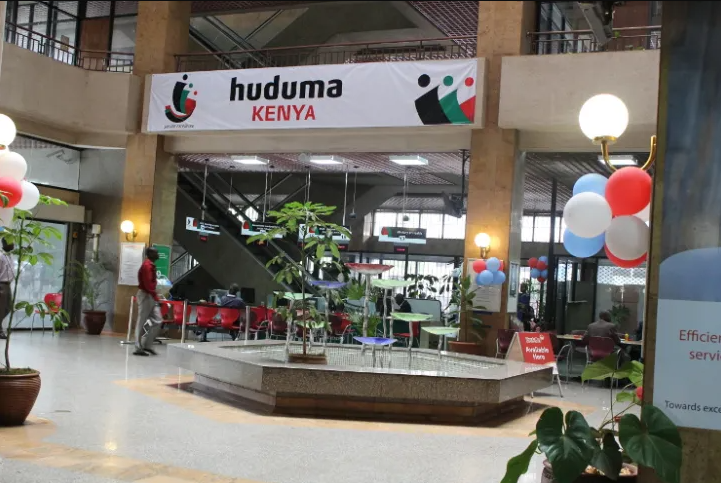
If you prefer a more convenient location, many Huduma Centres across Kenya now handle ID registration. Visit the Huduma Kenya website to find your nearest centre.
Arrive early. Morning hours (before 10 AM) tend to have shorter queues.
Step 7: Collect Your Reference Number and Wait
After biometric capture, you will receive an acknowledgement slip with your application number. Keep this safe.
You can track your application status online:
- Log back in to eCitizen
- Go to your application history under “My Applications”
- The status will update from “Pending” to “Ready for Collection” once your ID is printed
You will also receive an SMS notification on the phone number you registered with.
Step 8: Collect Your National ID
Once the SMS arrives, go back to the same registration office or Huduma Centre where you submitted biometrics. Bring:
- Your acknowledgement slip
- Your national ID number (from the eCitizen receipt or previous ID)
- Your personal presence is required — someone else cannot collect your ID on your behalf
Fees and Processing Time
| Service | Fee | Estimated Processing Time |
|---|---|---|
| New ID (first-time) | KES 300 | 3–6 weeks |
| Replacement (lost) | KES 1,000 | 4–8 weeks |
| Replacement (damaged) | KES 1,000 | 3–6 weeks |
| Correction of details | May vary | 4–8 weeks |
Processing times can be longer in high-demand areas like Nairobi, Mombasa, and Kisumu. Rural areas sometimes process faster. If you have not received your ID after 8 weeks, visit the registration office in person with your reference slip to follow up.
Common Mistakes to Avoid
These are the errors that most applicants make, leading to delays or outright rejection:
1. Using a photocopy of your birth certificate instead of the original The registration officer will ask for the original during biometric capture. Photocopies are only acceptable for the online upload — always carry your originals.
2. Providing mismatched details If your name on eCitizen does not exactly match your birth certificate or school certificate, your application may be flagged. Use your official full name, not a nickname.
3. Uploading blurry or cut-off documents Take photos in good natural light. All text on the document must be fully visible and sharp.
4. Going to the wrong sub-county office You should register in the sub-county of your birth or current residence, not just any office. Confirm the correct office before travelling.
5. Not carrying the original documents to the office You upload copies online, but the registration officer will want to see the originals in person. First-time applicants who forget their birth certificate will be turned away.
6. Missing the biometric appointment window Once you pay on eCitizen, your application is active. Do not delay the in-person visit unnecessarily — some offices may require you to re-apply if too much time passes.
Tips to Speed Up Your Application
- Apply early in the week — Monday and Tuesday mornings are less congested than Fridays
- Use a Huduma Centre instead of a crowded sub-county office for faster service
- Ensure your phone number on eCitizen is active so you receive SMS updates promptly
- Complete and carry all documents on the first visit to avoid repeat trips
- Follow up after 6 weeks if you have not received an SMS — go to the office with your reference slip
- Check your eCitizen status regularly — the dashboard updates in real time
Frequently Asked Questions (FAQs)
1. Can I apply for a Kenyan national ID completely online without visiting any office?
No. While you can fill the application form, upload documents, and pay online via eCitizen, you must visit a registration office in person for biometric data capture (fingerprints, photo, and signature). This step is mandatory and cannot be done remotely.
2. How long does it take to get a new Kenyan ID in 2026?
For most applicants, the wait is between 3 and 6 weeks after biometric capture. However, it can take up to 8 weeks in busy areas. You will receive an SMS notification when your ID is ready for collection.
3. What should I do if I lose my national ID in Kenya?
First, report the loss to the nearest police station and get a police abstract (costs around KES 50–100). Then get an affidavit sworn at a law court. Log in to eCitizen, select “Lost Identity Card,” upload your documents, and pay KES 1,000. Then visit a Huduma Centre or sub-county office for biometrics.
4. Can someone else collect my national ID on my behalf?
No. National ID collection requires your physical presence and biometric verification. You must collect it yourself.
5. What happens if my ID has a mistake (wrong name, wrong DOB)?
You will need to apply for a correction through eCitizen under “Change of Personal Details.” You will need supporting documents such as a birth certificate, baptism certificate, or court order depending on what is being corrected.
6. Is the eCitizen ID application available on mobile?
Yes. The eCitizen portal is accessible via a mobile browser. There is also an eCitizen mobile app available on the Google Play Store and Apple App Store.
7. Can I apply for a national ID if I was born in a different county from where I currently live?
Yes. You can register either in your county of birth or your current county of residence. Just ensure all your documents reflect the correct details for the registration office you choose.
Conclusion: Take Action Today
Getting your Kenyan national ID is not complicated when you follow the right steps. In 2026, the eCitizen platform makes the process faster, more transparent, and accessible from your phone or laptop — even before you step into an office.
Start by creating your eCitizen account at ecitizen.go.ke, gather your documents, complete the online form, pay the fee, and then visit your nearest Huduma Centre for biometrics. That is truly all it takes.
If you are 18 or about to turn 18, do not wait. Your national ID unlocks everything from your first bank account to your right to vote.
Get High Paying Surveys
Earn money online by completing simple surveys. No experience needed.
Start Earning →